Airbnb
- 4.5
- Rating
- 100.00M
- Installs
- Free
- Price

 Analysis by App-foxy
Airbnb is the kind of travel app I open when I want more than a standard room search. It brings homes, experiences, and services into one mobile place, which can make planning feel more personal but also more involved than booking a conventional hotel. After using it as a travel companion rather than treating it as a simple catalogue, I found its biggest strength is helping me compare different ways of staying in a destination while keeping conversations, reservations, and trip details close at hand.
The app is free, made by Airbnb, and belongs in the Travel & Local category. It is available for everyone, and its long presence on mobile is reflected in a 4.4 average from around 1.8 million ratings, with more than 100 million installs. Those figures suggest a mature service with a broad audience, but they do not remove the need to inspect each listing carefully. My experience is that the quality of a trip depends as much on reading the details and understanding the location as it does on finding attractive photos.
How the app feels when a connection is available
The core experience is strongly connected to the internet. I use a network connection to search destinations, adjust dates, review availability, inspect listing information, communicate with a host, and manage a reservation. That sounds obvious, but it changes how I approach the app: Airbnb is most useful during the planning stages, when I have enough time and a stable connection to compare options instead of making rushed decisions from a station, airport, or crowded street.
You May Also Like

 Pandora - Music & Podcasts
Pandora’s Music Is Easy to Start, but Harder to Recover
Pandora’s strength is its low-effort path from a seed to a station. Its weak spot is how much confidence it asks you to place in connection, setup, and quiet recovery.

 8 Ball Pool
8 Ball Pool Is Built on Rivalries, Rematches, and Routine
A close look at the rivalries, rematches, shared routines, and unanswered safety questions that turn a quick pool match into a persistent mobile community.

 Samsung Music
Samsung Music’s Quiet Strength Is Playing What You Already Own
Its reach comes less from spectacle than from dependable access to a personal library. That simplicity is both the app’s strongest retention engine and its ceiling.

 AccuWeather: Weather Radar
AccuWeather Review: A Quick, Clear Forecast for Everyday Decisions
For everyday plans, the best forecast is the one you can understand quickly. AccuWeather makes rain timing, radar, and local conditions easy to act on, with a few trade-offs.

 Hill Climb Racing
Why Hill Climb Racing Still Turns Crashes Into One More Run
A tiny car, a bumpy hill and one more upgrade: Hill Climb Racing keeps resurfacing because its simple chaos makes every near-miss feel personal.

 AliExpress - Shopping App
AliExpress Makes Global Shopping Feel Personal, but Shoppers Bear the Risk
AliExpress turns a global marketplace into a pocket-sized discovery engine. Its reach is useful, its shopping loop compelling, and its trade-offs easy to miss.
More From Our News Desk
View All News


Search is not only about finding the lowest visible amount. I pay attention to the map position, the type of home, the description, the house rules, and the practical wording used by the host. A listing that looks ideal in a photo can be inconvenient if it is far from the area I actually want to visit. I also look for details that affect daily life, such as whether the space seems suited to a short stop, a work-focused trip, or a longer stay with more luggage. The app makes this comparison convenient, but the judgement still belongs to me.
One useful habit is to begin with the purpose of the trip rather than a vague destination search. For a weekend visit, I might prioritize location and simple arrival instructions. For a family trip, I would spend more time checking the sleeping arrangement and rules. For a work trip, I would examine the listing description with a stricter eye and avoid assuming that an attractive home is automatically practical for working. This approach reduces the temptation to book based only on images.
Connectivity also shapes communication. If I need clarification before booking or during a stay, the app gives me a direct place to look for the relevant conversation. That is more organized than trying to manage travel messages across unrelated channels. Still, a message is not the same as an immediate answer. I would never build a tight arrival plan around the assumption that a host will respond instantly, especially when a delayed reply could affect transportation or access.
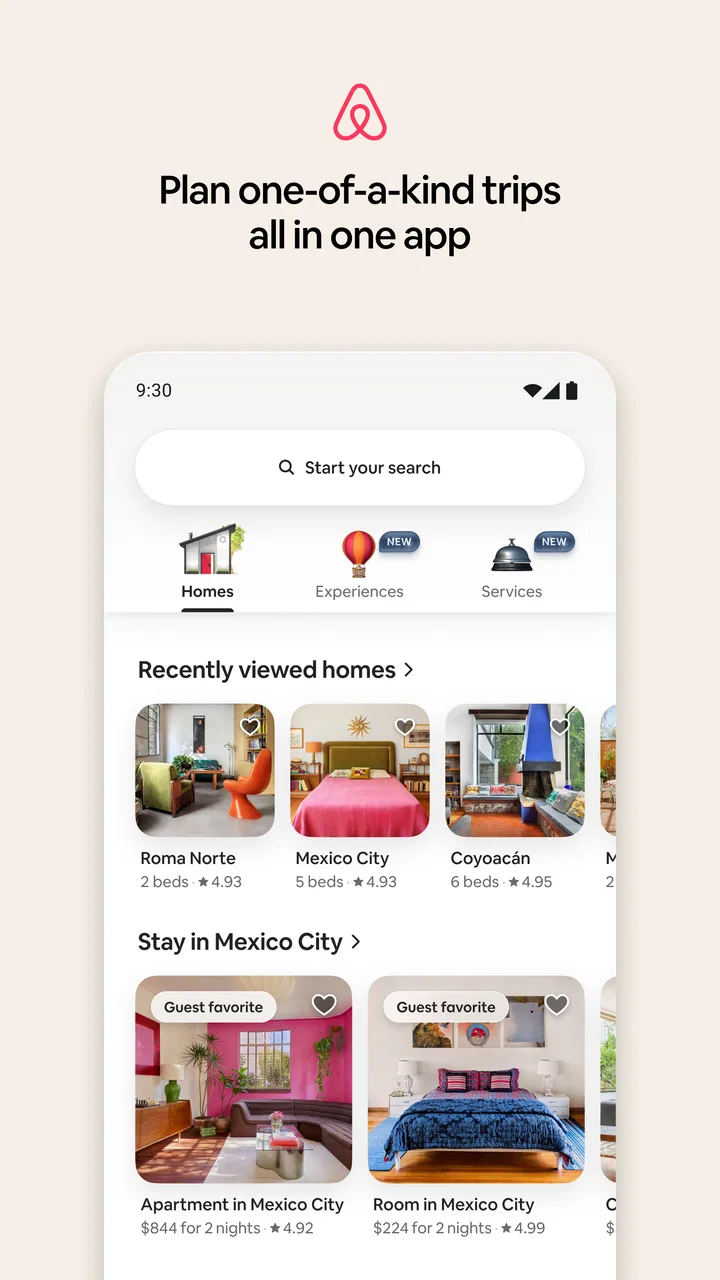
The redesigned app brings homes, experiences, and services into the same general travel flow. I like the broader idea because it encourages me to think about the whole trip rather than only the bed. An experience can be useful when I want a structured activity, while a service may solve a practical need around the stay. The trade-off is that a wider range of choices can make the screen feel busier. I get better results when I decide what problem I am solving before browsing everything available.
Why the mobile setting matters
On a phone, the app fits naturally into the moments when travel decisions happen: while sitting on a train, waiting for a companion, or checking plans between activities. I can revisit a listing without opening a laptop, compare alternatives, and keep the trip in the same device I carry during the journey. That convenience is especially valuable when plans change and I need to review a reservation quickly.
At the same time, a smaller screen encourages faster decisions than I would make at a desk. Photos are easy to scan, while important wording can require more patience. I recommend slowing down whenever a booking involves unusual rules, a distant location, or a complicated arrival. I also prefer reviewing the complete cost and conditions at the final stage rather than judging a place from its first displayed amount. The app is convenient, but convenience can make rushed browsing feel deceptively complete.
A realistic example is arriving in a city earlier than expected. I might use Airbnb to check whether an experience fits the spare time, revisit the location of my accommodation, or contact the host about the arrival plan. In that situation, the app is valuable because it combines several travel tasks. However, I would make the important checks before leaving a reliable connection. Once I am moving through unfamiliar streets, depending on a live connection for every detail becomes a weak point.
This is where Airbnb differs from the usual hotel-booking alternative. A hotel app often leads me toward a standardized property, a familiar reception model, and a more predictable room format. Airbnb gives me more variety in the kind of place and trip I can arrange, but that variety creates more responsibility. I have to evaluate the individual listing, the host’s instructions, the surroundings, and how well the arrangement matches my habits. I prefer Airbnb when flexibility and a local-style stay matter more than uniformity.
For travelers who want a quick, conventional room with minimal interpretation, a hotel-focused service may be the better choice. I would also lean toward that alternative when my arrival is very late, my schedule is uncertain, or I need a clearly defined front desk experience. Airbnb is not automatically the best answer simply because it offers more types of accommodation. Its advantage appears when I am willing to make a more informed choice.
What happens when the connection becomes unreliable
The most important limitation is that many useful actions depend on connectivity at the moment I need them. Searching and changing plans are obviously network-heavy, but the same is true of communication and checking current reservation information. If I am in a place with weak reception, I do not want my entire arrival strategy to depend on opening a fresh screen successfully.
My practical solution is preparation rather than assuming the phone will always cooperate. Before leaving a dependable connection, I review the reservation, note the important arrival information in a form I can consult easily, and make sure I understand the route to the property. I also read messages before traveling instead of waiting until I am standing outside. These steps do not make the app independent of the network; they simply reduce the number of moments in which I need it urgently.
That distinction matters. I would not treat Airbnb as a guaranteed replacement for personal travel notes or a backup plan. If a message contains a detail that affects entry, timing, or meeting arrangements, I want to understand it before the journey starts. When possible, I also keep a second way to contact the relevant person or service, because an app cannot solve a mobile signal problem by itself.
Recovery is easier when I separate the problem into parts. If a page does not load, I first check whether the issue is the connection or the app. If the connection returns, I reopen the relevant reservation area rather than assuming that an old screen shows the latest situation. If communication is delayed, I avoid sending a stream of repeated messages and instead make the request clear and concise. This is simple advice, but it prevents confusion when a trip is already stressful.
Another useful habit is to avoid making a last-minute change while moving between networks. A transition from home Wi-Fi to mobile data, or from one public network to another, can be a poor time to edit plans. I prefer to make important changes while stationary, then verify that the updated information is visible before continuing. The app is much less frustrating when I give it a stable moment to complete the task.
Using mobile data without turning planning into a burden
Airbnb encourages visual browsing, and images naturally consume attention as well as data. I do not need to inspect every possibility in one long session. A more efficient workflow is to search broadly first, keep a small group of realistic options, and then examine those options in detail. This reduces repeated loading and makes the decision clearer. It also helps me judge homes on useful criteria rather than endlessly scrolling through attractive photographs.
When I am traveling internationally, I am particularly cautious about doing heavy browsing on mobile data. I prefer researching the destination and narrowing choices while connected to a trusted network, then using mobile access for focused tasks such as checking a reservation or sending a necessary message. I avoid treating a public network as automatically suitable for every travel task and would rather wait for a connection I trust when handling something sensitive.
There is also a battery cost to consider. A phone used for maps, messages, photos, tickets, and travel browsing can lose power quickly, and Airbnb may be only one of several demanding apps open during a day out. I keep the app work concise when I am away from a charger, especially before a long transfer. This is not a criticism unique to Airbnb, but its usefulness during travel makes battery planning more important than it might be during ordinary home browsing.
A good data-conscious routine is to decide what must be checked now and what can wait. If I am comparing homes for a future trip, I can do that at home. If I am already traveling, I focus on the confirmed arrangement and the next practical step. This prevents the app from becoming a distraction and reduces the chance that I will make a major decision while distracted, tired, or dependent on a weak signal.
Who will get the most from the experience
I think Airbnb suits travelers who enjoy choosing between different kinds of stays and who are comfortable taking responsibility for the details. It is particularly useful for people planning a trip around a neighborhood, a group with specific space needs, or an itinerary that includes more than accommodation. The combination of homes, experiences, and services can make the planning process feel more connected than using separate apps for every part of the journey.
It can also work well for someone who wants to compare a private home with a more familiar lodging option before committing. The important point is to use the app as a decision tool, not as a shortcut around decision-making. I read the description, study the location, consider the rules, and think about how the arrival process fits my schedule. That approach takes longer than tapping the first appealing result, but it is where much of the app’s practical value comes from.
I would be more cautious recommending it to travelers who dislike uncertainty or who need a highly standardized experience. Someone with a very short stop, a late arrival, or a strict requirement for on-site assistance may feel more comfortable with a traditional hotel. I would also hesitate if the trip depends on constant connectivity and there is no realistic backup for communication or navigation. The variety that makes Airbnb attractive can become friction when there is no time to investigate.
Families and groups should be especially deliberate. A home can appear spacious while still having an arrangement that does not suit everyone, and a convenient location on a map may feel different with children, luggage, or mobility concerns. I would ask questions before booking when the description leaves room for interpretation, rather than hoping the situation will be obvious on arrival. The app supports the conversation, but it cannot replace asking the right question.
Version, access, and the overall finish
The current version is 25.50.1, and the app has been available since January 17, 2012. I see that long-running history in the way the product is built around repeated travel tasks rather than a single search. It feels designed for returning to a trip, checking information, and managing several stages of planning. The minimum operating system is 9, so device compatibility is worth checking before relying on it for an upcoming journey.
I appreciate that the app is free to install because it lets me explore the experience before deciding whether it fits my travel style. Free access does not mean every choice will be simple or that the least expensive-looking option will be the best value. I still examine the complete booking details and the practical conditions of the stay. The app’s cost to download is not the same thing as the total cost or effort of a trip arranged through it.
Airbnb’s scale is reassuring in one limited sense: it is not an obscure travel tool that I would use only for a single unusual situation. Its 97 thousand reviews and broad user base show that many people return to it for travel planning. I still treat each listing as its own decision. A large platform can provide reach and choice, but it cannot make every individual accommodation equally suitable.
The interface is at its best when I already know what I want to check. It is less comfortable when I browse without a clear purpose, because the mixture of homes, experiences, and services can pull me in several directions. My advice is to set a short list of priorities before opening the app. For example, I might decide that location comes first, then the type of accommodation, then the arrival requirements. That keeps the redesigned experience useful instead of overwhelming.
My connectivity verdict
Airbnb is a strong travel companion when I have a dependable connection for research and enough time to make thoughtful choices. Its mobile format makes it easy to move from inspiration to practical planning, and the combination of homes, experiences, and services gives it a wider role than a basic accommodation search. I especially value it when I want a stay that matches the character of a destination rather than a standardized room.
Its weakness is equally clear: connectivity is woven into the moments that matter. I do not want to discover an arrival problem while offline, on a weak signal, or with a nearly empty battery. Preparing key information before departure, limiting unnecessary browsing on mobile data, and keeping a backup mindset make the experience much safer and calmer. Those habits are not optional extras for me; they are part of using the app well.
My recommendation is simple: choose Airbnb when variety and a more personal travel plan are worth the extra checking. Skip it in favor of a traditional hotel-focused option when predictability, immediate assistance, or a highly standardized stay matters more than choice. For the right traveler, it is a capable and flexible app. For someone who wants every detail to work like a conventional hotel booking, its freedom may feel more like responsibility than convenience.
FAQs for Airbnb
01What is Airbnb and how does it work?
Airbnb is a platform that connects travelers with hosts offering unique accommodations worldwide. Users can browse listings, book stays, and communicate with hosts directly through the app. The platform also offers experiences, where users can book activities led by local experts. It's essential to review each listing's details, host ratings, and guest reviews before booking.
02Is Airbnb safe to use for both guests and hosts?
Airbnb implements various safety measures to protect both guests and hosts. These include a secure messaging system, 24/7 customer support, and a review system for accountability. Additionally, Airbnb offers a Host Guarantee and a Guest Refund Policy. However, users should always verify listings, read reviews, and follow safety guidelines to ensure a secure experience.
03What fees are associated with booking on Airbnb?
Airbnb charges a service fee for each booking, which is a percentage of the reservation subtotal. This fee helps cover the cost of running the platform. Hosts may also charge additional fees, such as cleaning or extra guest fees. It's crucial for users to review the total cost, including all fees, before confirming a booking.
04How does the cancellation policy work on Airbnb?
Airbnb offers various cancellation policies that hosts can choose from, ranging from flexible to strict. These policies determine how much of a refund guests receive if they cancel. It's important for users to understand the specific cancellation policy of their booking, as it affects refund eligibility and timelines. Always check the policy before booking.
05Can I use Airbnb for long-term stays?
Yes, Airbnb can be used for long-term stays. Many hosts offer discounts for extended bookings, and the platform allows stays of up to several months. However, it's essential to communicate with the host about any specific needs or arrangements for long-term stays. Be sure to review the host's house rules and the cancellation policy.
Pros
- User-friendly interface for easy navigation.
- Wide range of unique accommodation options.
- Secure payment system ensures safety.
- Detailed host and property reviews.
- Flexible cancellation policies available.
Cons
- Service fees can be quite high.
- Limited customer support response time.
- Some areas have fewer listings available.
- Inconsistent quality between listings.
- Last-minute cancellations by hosts possible.

Airbnb
Gallery